[ KPCS · Cohort 1 opens 5 December 2026 ]

Payment cryptography, certified on the bench.

Six modules from PIN blocks to KMIP, each ending on a working HSM. An exam you pass with your hands.

The syllabus
  • 30 lessons~26 hours, recorded
  • 60 questions + 6 bench tasksthe exam, 120 minutes
  • Valid 3 yearspublic verification
  • 12 months of Prothe bench, from today
  • Full refunduntil 5 December 2026

[ After KPCS you can ]

Six things you do with your own hands by the end.

For engineers who integrate, test or operate payment cryptography: issuer and acquirer teams, HSM operators, processor and fintech developers, QA and certification teams. Not an introduction; module 1 assumes you have seen a PIN block.

Module 01

Build and read a PIN block in every format

Formats 0–4, translation between zones, PVV and offset verification, DUKPT at the terminal.

Module 02

Run a key ceremony that survives an audit

Components, KCVs, TR-31 and Thales blocks, the migration to key block LMKs, TR-34 remote loading.

Module 03

Read a payShield trace byte by byte

A0/A6/A8, error codes as a diagnostic, MAC commands, and a real capture turned into a test case.

Module 04

Verify an ARQC and issue the ARPC

Master keys to session keys, the CDOL, method 1 against 2, TLV and the tag dictionary, issuer scripts.

Module 05

Derive DUKPT keys and debug a terminal

X9.24-1 and AES DUKPT, working keys, BDK injection at the KIF, traces compared.

Module 06

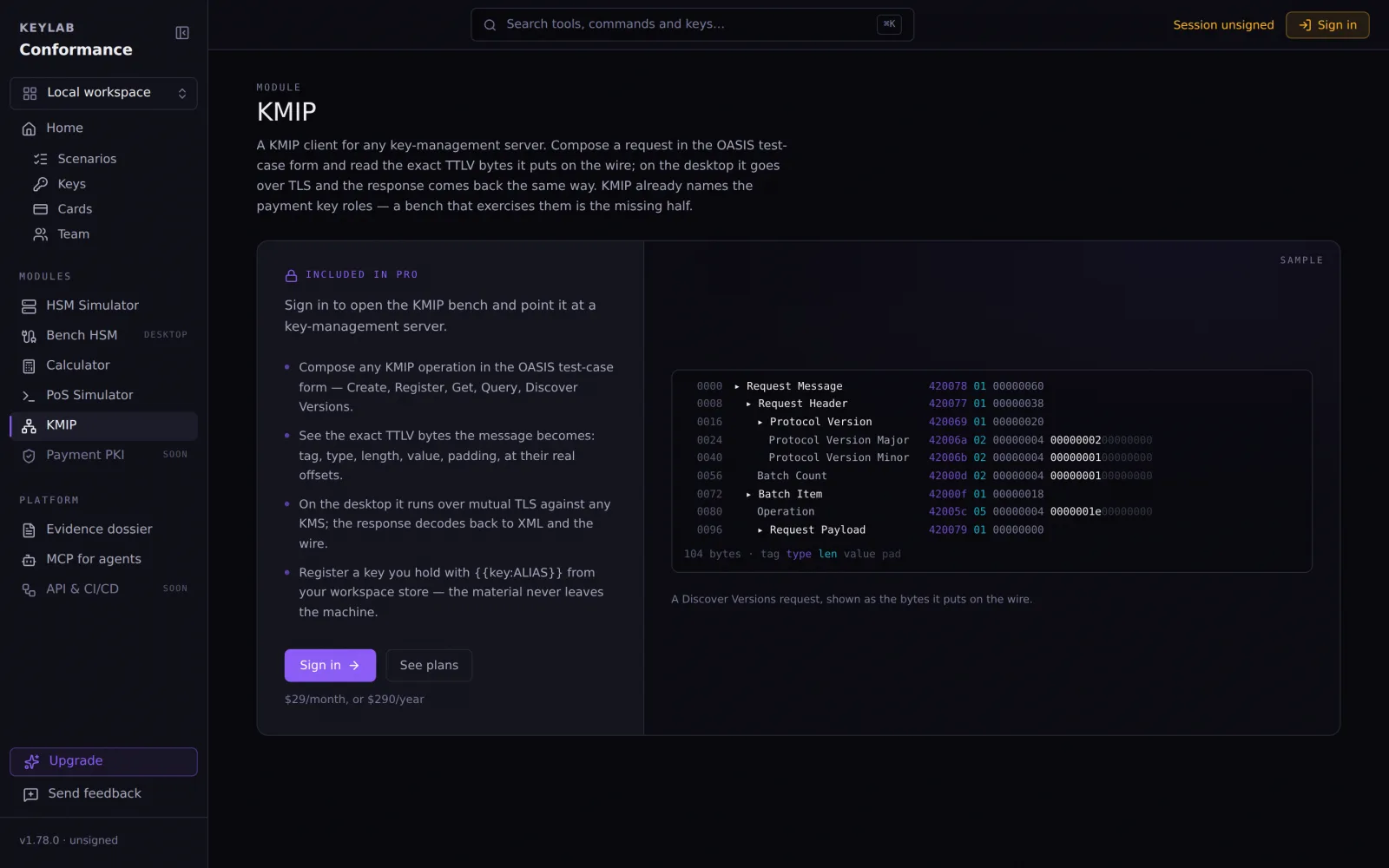
Talk KMIP to a real KMS

TTLV on the wire, the operations that matter, the payment vocabulary in the spec, interop over TLS 5696.

[ Taught on the bench ]

Every lesson ends with your hands on a working HSM.

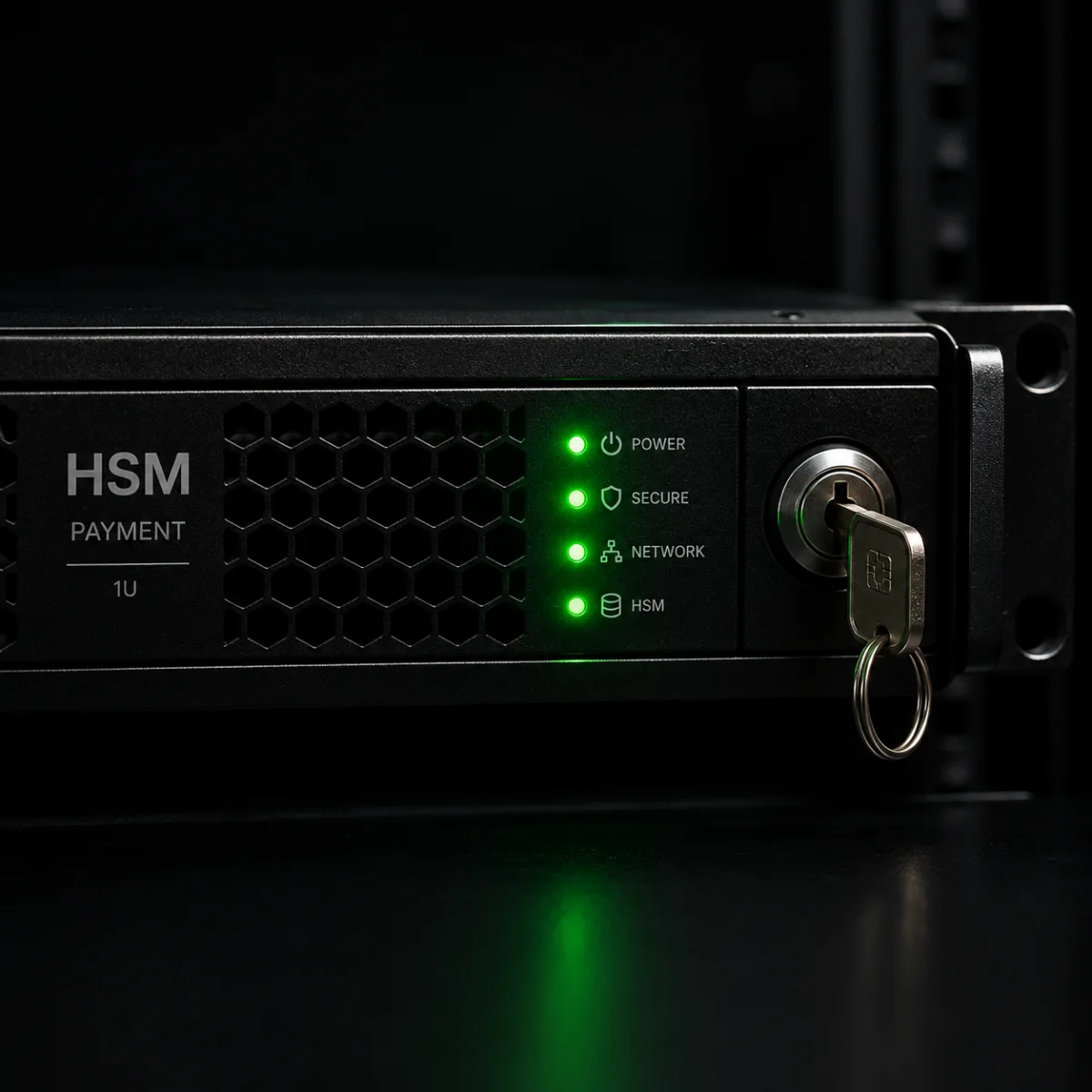
Not slides about a payShield: a simulated payShield 10K with a test LMK, the calculators the tools were checked against, a KMIP bench that speaks to a real KMS. The exercises run on the same product you keep for 12 months.

TOOLS
0
HOST COMMANDS
0
TESTS
0

Checked against psec, openemv, BP-Tools, X9.24 vectors and real payShield traces.

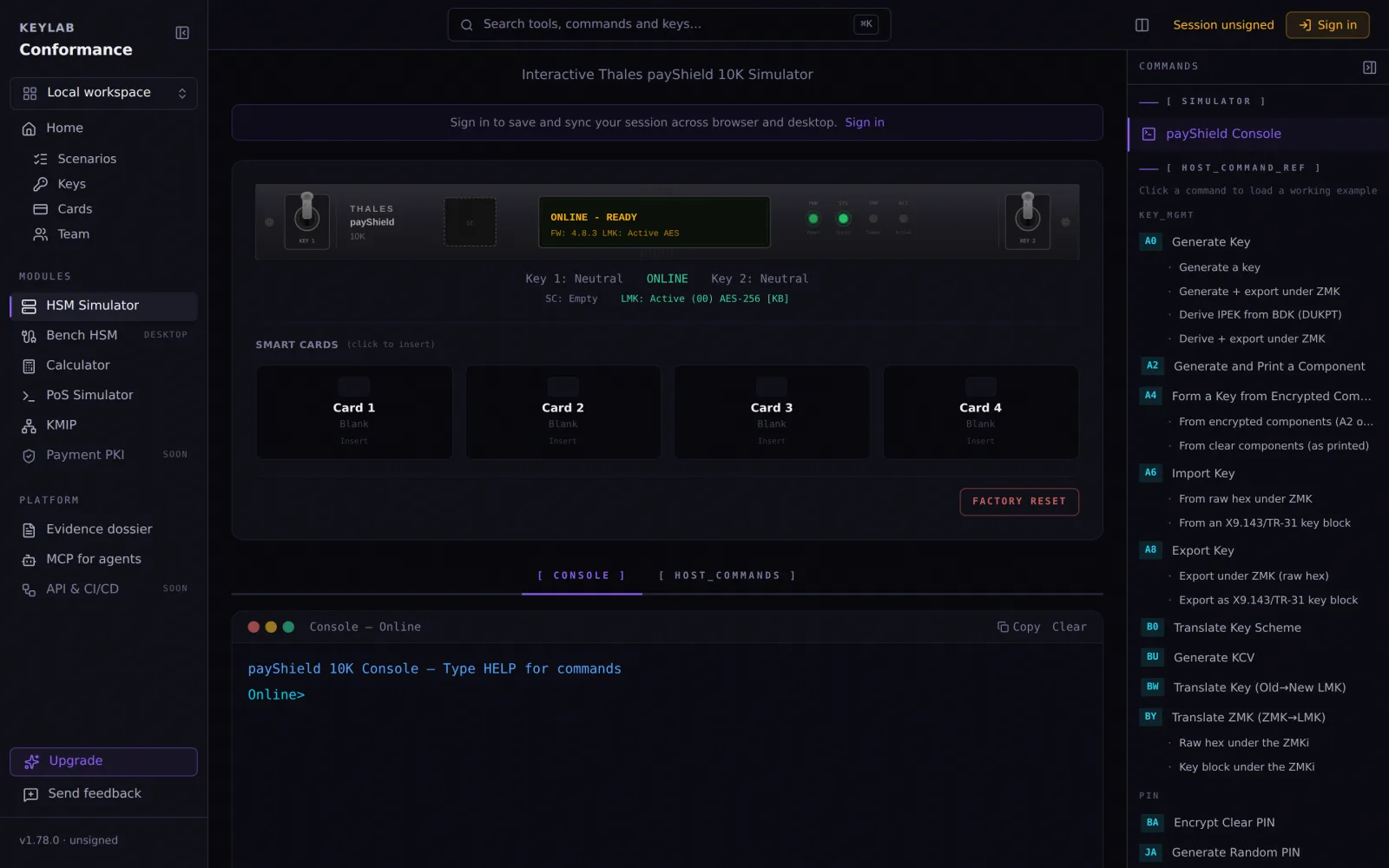
The payShield simulator: LMK loaded, console online, host command reference

The payShield simulator — modules 3 and 5

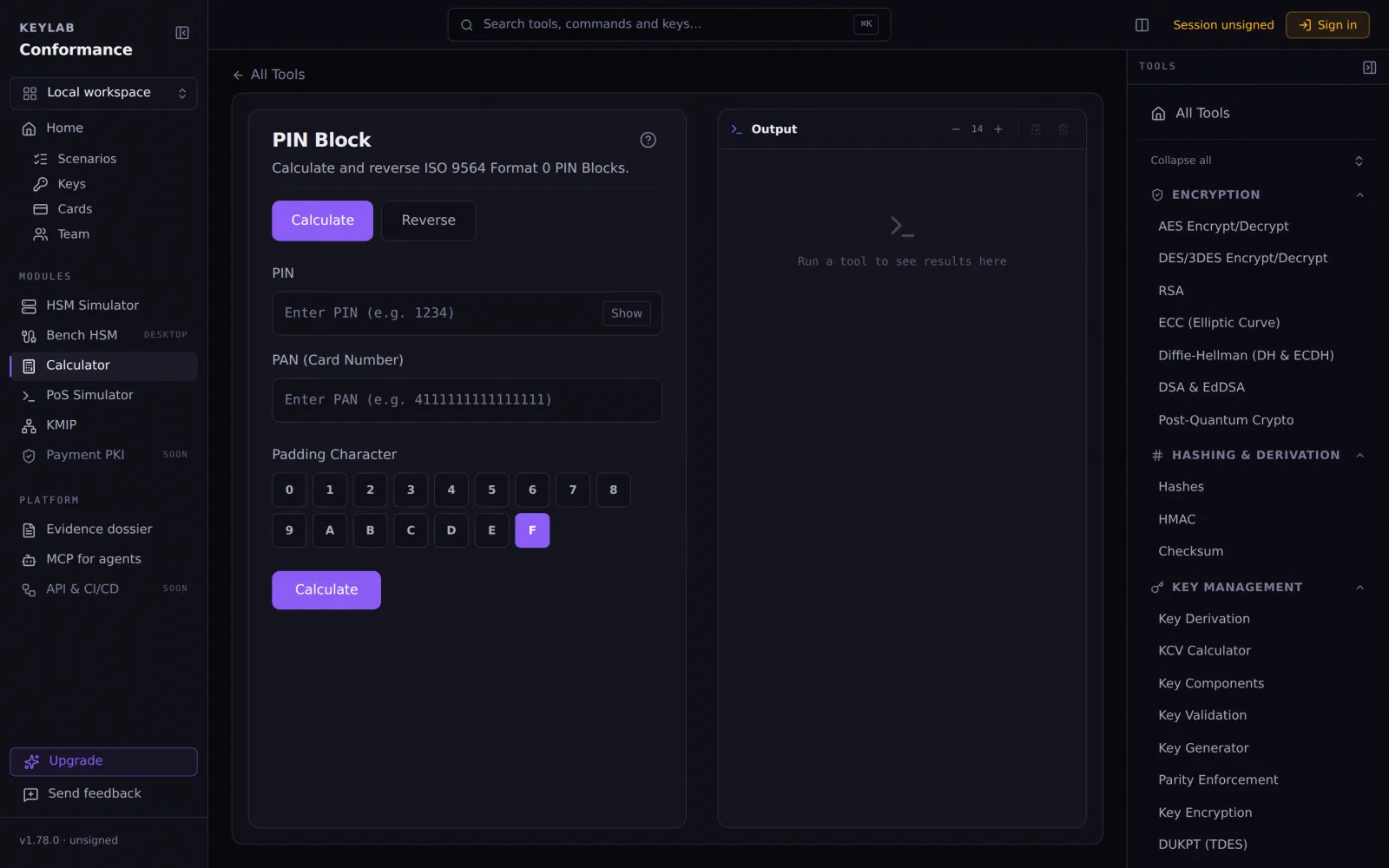
The PIN block calculator

The PIN block tool — module 1

The KMIP bench composing a request

The KMIP bench — module 6

[ Syllabus · 6 modules · 30 lessons · ~26 hours ]

Each module ends where the last one left the bench.

Module 1: PIN and PIN blocksModule 01

5 lessons · 260 min

PIN and PIN blocks

Why the PIN never travels clear, and every form it takes on the way.

  1. 1.1Zones, ZPK and TPK — the translation model45 min
  2. 1.2ISO 9564 formats 0–4, built by hand and checked on the bench50 min
  3. 1.3PIN translation between zones: CA on the payShield, what changes and what must not55 min
  4. 1.4PIN verification: PVV, IBM 3624 offset, decimalisation tables50 min
  5. 1.5DUKPT PIN at the terminal: KSN, IPEK and the key that decrypts DE 5260 min

Bench: calculator/pin-block · calculator/pin-block-formats · hsm-simulator · calculator/pvv · calculator/dukpt

Module 2: Key management and key blocksModule 02

5 lessons · 265 min

Key management and key blocks

Ceremonies that can be audited, and the block that carries a key between HSMs.

  1. 2.1KCVs, parity, components — a ceremony that can be audited45 min
  2. 2.2TR-31 / X9.143 from the header out: usage, mode, exportability, MAC55 min
  3. 2.3Thales key blocks against TR-31: what the LMK changes50 min
  4. 2.4Key block migration: variant LMK to key block LMK without downtime60 min
  5. 2.5TR-34 and remote key loading: certificates, KDH/KRD, the two-pass token55 min

Bench: calculator/key-components · calculator/tr31-key-block · calculator/thales-key-block · hsm-simulator · calculator/tr34-key-block

Module 3: payShield host commandsModule 03

5 lessons · 265 min

payShield host commands

The wire an issuer or acquirer actually speaks to its HSM.

  1. 3.1The LMK: types 1–4, slots, test LMKs, what a KCV proves45 min
  2. 3.2A0/A6/A8 — generate, import, export: a response read byte by byte60 min
  3. 3.3Error codes as a diagnostic: 10, 15, 27, 68 and the wire behind them50 min
  4. 3.4MACs and data: M0/M2/M6/M8 against ISO 979750 min
  5. 3.5A real trace: from a tape to a reproducible test case60 min

Bench: hsm-simulator · scenarios

Module 4: EMV cryptogramsModule 04

5 lessons · 255 min

EMV cryptograms

From the issuer master key to the ARQC the host verifies, and back.

  1. 4.1Master keys to session keys: UDK options A/B, CSK, EMV200055 min
  2. 4.2ARQC and ARPC: building the CDOL, method 1 against 2, KW/KQ on the HSM60 min
  3. 4.3TLV and the tag dictionary: GPO, records, Kernel 2 against Visa45 min
  4. 4.4Issuer scripts: MK-SMI/SMC, PIN change, counters50 min
  5. 4.5When the ARQC does not verify: a decision tree45 min

Bench: calculator/arqc-arpc · calculator/emv-tags · calculator/emv-script

Module 5: DUKPT end to endModule 05

5 lessons · 245 min

DUKPT end to end

One key per transaction, in 3DES and in AES, from the KIF to the host.

  1. 5.1X9.24-1: BDK, IPEK, the 21-bit counter, future keys50 min
  2. 5.2X9.24-3 AES DUKPT: initial key, derivation, working key lengths55 min
  3. 5.3Terminal debugging: MAC request/response keys, data keys45 min
  4. 5.4Injecting a BDK: TR-31 B0 and the ceremony at the KIF45 min
  5. 5.5DUKPT on the payShield and in the wild: traces compared50 min

Bench: calculator/dukpt · calculator/dukpt-aes · calculator/tr31-key-block · hsm-simulator

Module 6: KMIP for paymentsModule 06

5 lessons · 255 min

KMIP for payments

The key management protocol a KMS speaks, with the payment vocabulary it already has.

  1. 6.1TTLV on the wire: tags, types, lengths — reading a dump45 min
  2. 6.2The operations that matter: Create, Register, Get, Locate, Destroy50 min
  3. 6.3Key Role Type and TR-31 wrapping: the payment vocabulary in the spec55 min
  4. 6.4Interop: a real KMS over TLS 5696 from the bench60 min
  5. 6.5The dossier: turning a run into evidence45 min

Bench: kmip · dossier

[ How the cohort works ]

Reserve now. Everything opens on 5 December 2026.

  1. 01

    Reserve a seat

    At the early-access price. Your 12 months of KeyLab Pro start today, so the bench is yours while you wait.

  2. 02

    5 December 2026: the course opens

    The whole course for the first cohort — all 30 lessons on day one, nothing drip-fed. You set the pace.

  3. 03

    Work the exercises

    After every lesson, a task on the bench: a block to build, a trace to read, a command to run. Your results, not a quiz.

  4. 04

    Take the exam

    60 questions and 6 tasks on the bench, 120 minutes, one retake included. Pass, and the certificate carries a number anyone can verify.

The guarantee. A full refund is one email, at any time before the course opens, no questions asked. If the course does not open on 5 December 2026, the refund is automatic.

[ The certification ]

A certification is a claim someone can check. Here is the claim.

What it certifies

The six competencies above — PIN, key management, payShield host commands, EMV cryptograms, DUKPT and KMIP — demonstrated on the bench, not recited.

How it is assessed

One sitting of 120 minutes, two parts: 60 questions drawn per candidate from a bank, and 6 tasks on the bench — a block to build, a trace to read, a cryptogram to verify — graded by the bench itself. Pass mark 70% and 4 of 6 tasks. One retake included.

Validity and verification

Valid for 3 years, renewable by exam. Every certificate carries a number that resolves on keylab.cloud/verify to the holder, the cohort and the dates, plus a badge image for LinkedIn. The registry outlives the servers: it is also published as a signed file.

What it is not

KPCS is issued by KeyLab. It is not a PCI SSC, EMVCo or Thales credential and claims no accreditation from any of them. What it attests is that the holder did these things and passed the exam.

[ Exam blueprint · cohort 1 ]

  • 01PIN and PIN blocks15% · 9 q

    Task: Build and translate a PIN block

  • 02Key management and key blocks20% · 12 q

    Task: Wrap a key into a TR-31 block

  • 03payShield host commands20% · 12 q

    Task: Read a payShield trace

  • 04EMV cryptograms20% · 12 q

    Task: Verify an ARQC and issue the ARPC

  • 05DUKPT end to end15% · 9 q

    Task: Derive a DUKPT working key

  • 06KMIP for payments10% · 6 q

    Task: Compose and read a KMIP exchange

  • 60 questions · 6 tasks · 120 min · pass 70% + 4/6

Every rule — retakes, integrity, verification, extra time, what happens if KeyLab stops — is in the candidate handbook. Read it before you pay; it is the contract.

[ The certificate ]

The document that says exactly what you passed.

Your name, the cohort, the date and a number that resolves on keylab.cloud to all three. A recruiter or an auditor checks it in ten seconds; a badge image goes on LinkedIn.

KeyLab · Certificate

KPCS

Certifies that

Your name

passed the KeyLab Certified Payment Cryptography Specialist examination — 60 questions on PIN, key management, payShield, EMV, DUKPT and KMIP, pass mark 70%.

Cohort 1 · 2026

No. KPCS-2026-·····

Verifiable at

keylab.cloud/verify

Thiago Alonso, founder of KeyLab

[ Your instructor ]

Thiago Alonso

Founder & Creator of KeyLab

I've spent most of my career deep in the payment security stack — from HSM operations and key management to PCI compliance and cryptographic architecture. After years of working with tools that were either too expensive, too outdated, or simply frustrating to use, I built KeyLab: the platform I wished existed when I started.

  • Nearly a decade in payment cryptography & compliance
  • HSM specialist — Thales payShield, Kryptus kNET
  • PCI DSS, PCI PIN, ISO 27001, NIST, FIPS, Common Criteria
  • Author of KeyLab: 51 tools, 37 payShield host commands, 1,605 tests against third-party vectors
Connect on LinkedIn

[ Cohort 1 · early access ]

A seat, a team, or just the exam.

Individual seat

US$ 490

The course, the exam, the bench. Paid once.

  • 30 recorded lessons, ~26 hours, all on 5 December 2026
  • An exercise on the bench after every lesson
  • The exam with one retake, the certificate, the verification page
  • KeyLab Pro for 12 months, starting today
  • Full refund until 5 December 2026

Team · 5 seats or more

20% less per seat

US$ 390 per seat

Everything in a seat, for each participant, plus:

  • KeyLab Business for the group for 12 months: a shared workspace, roles, seat admin
  • The team works the exercises on the same keys, cards and batteries
  • One invoice; participants named by email after purchase
  • A completion and exam report for whoever bought the lot

Exam only

US$ 190

For the engineer who already does this every day.

  • The exam on 5 December 2026, with one retake
  • The certificate and its verification page
  • No lessons, no plan — the bench is not included
  • Full refund until 5 December 2026

Paid on Stripe's page in USD; the receipt comes from Stripe and can name your company. A KeyLab account is needed to reserve; the button takes you to sign in first.

[ Questions ]

What does early access mean?
You reserve now at the early-access price. The whole course opens on 5 December 2026 for the first cohort — every lesson on day one, nothing drip-fed. A full refund is one email at any time before that date, no questions asked; if it does not open on that date, the refund is automatic.
Certificate or certification?
Both. KPCS is a certification: a defined set of competencies, an exam that tests them, a validity period and a public verification page. The certificate is the document you receive when you pass. It is issued by KeyLab and says so — it is not a PCI SSC, EMVCo or Thales credential and claims no accreditation from them.
What is included in a seat?
30 recorded lessons in 6 modules, an exercise on the KeyLab bench after every lesson, the KPCS exam with one retake, the certificate and its verification page, and 12 months of KeyLab Pro from the day you buy — the bench the course is taught on.
Can I take just the exam?
Yes. US$ 190 buys the exam with one retake, the certificate and the verification page, no lessons and no plan. It opens on 5 December 2026 like everything else. If you later buy a seat, the seat includes a new exam attempt.
Is the exam proctored?
Not by a person. Each candidate gets a different draw of questions and different task inputs, and the 6 bench tasks are graded by the bench itself, so there is nothing to copy. You may use your notes, the KeyLab tools and the public specs; you may not be helped by another person. The full rules are in the candidate handbook.
How do team seats work?
US$ 390 per seat in lots of 5 or more — 20% less than an individual seat. The lot also carries KeyLab Business for the group for 12 months: a shared workspace with roles and seat admin, so the team works the exercises on the same keys and cards. After purchase you name the participants by email; each gets their own access, exercises, exam and certificate, and you get a completion and exam report at the end.
Can my company pay?
Yes. Checkout runs on Stripe in USD with a card; the receipt carries KeyLab and can be issued to your company. For a purchase order or bank transfer, use the contact page.
[ Not now ]

Not reserving today? Leave an email and hear before the cohort opens.

[ Cohort 1 · opens 5 December 2026 ]

The cryptography behind every card payment, taught on the bench.

The syllabus